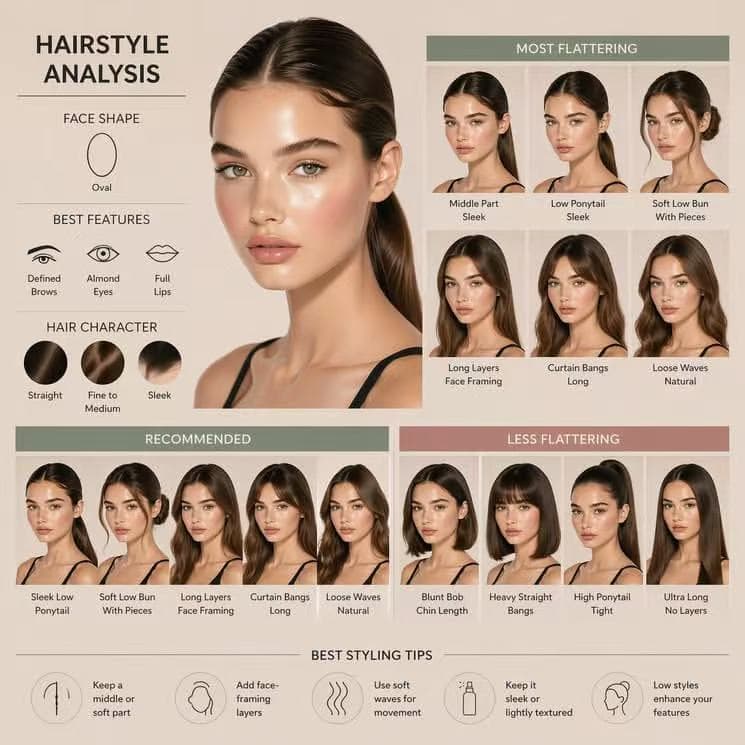
Find the likely hairstyle name
The analysis starts with visible length, layers, fringe, parting, curl pattern, volume, and finish, then maps those clues to the closest common hairstyle name.
Hairstyle Identifier
Upload a reference photo to find the likely haircut name, alternative names, visible cut structure, styling notes, and a brief you can show at the salon.
New accounts include enough credits for a first analysis.
The report includes the name, aliases, visible evidence, salon instructions, requirements, and recreation warnings.
Start with a clear reference photo. The analysis reads visible structure first, then gives the closest established style name and separates the haircut from temporary styling.
A front or three-quarter view usually gives the best result.
Length, shape, texture, volume, parting, and finish are analyzed.
Download it, share a private link, or take the salon brief with you.
Hairstyle search guide
Upload a clear hairstyle photo to see the likely name, common aliases, visible cut details, and a description you can take to a barber or stylist.
Want to see if it suits you? Try the hairstyle on your photoThe analysis starts with visible length, layers, fringe, parting, curl pattern, volume, and finish, then maps those clues to the closest common hairstyle name.
A photo can mix a real cut, curling-iron work, braids, wigs, extensions, or product styling. The report calls out which parts are cut structure and which parts are styling.
You get useful aliases, search terms, visible evidence, recreation difficulty, maintenance notes, and wording you can show to a stylist.
What the identification report includes
Use the name, aliases, search terms, and salon notes to find similar references or prepare a haircut conversation.
A practical primary name such as bob cut, wolf cut, curtain bangs, low taper fade, shag, pixie, braid style, or another closest visible match.
Alternative names people may use on Google, TikTok, Pinterest, or in a salon so you can keep researching the same look.
Length, layers, bangs, parting, curl pattern, texture, volume, density, silhouette, and finish observed in the reference photo.
Notes that separate the actual haircut from blow-drying, curling, braids, extensions, wigs, styling products, or temporary editorial work.
Use the report name and search terms to keep researching the look. If you want to judge whether the hairstyle suits you, open AI Hairstyle Changer and try it on your own photo.
Salon-ready haircut brief
A haircut name helps, but it is not enough by itself. A wolf cut, bob cut, butterfly haircut, taper fade, or shag can vary by region, salon, hair type, and styling method. The report connects the likely name with visible evidence and recreation notes so the conversation is more precise.
“I want a wolf cut” can mean different lengths, layers, fringe shapes, and texture. The report adds what is actually visible in the reference photo.
Some results come from the cut; others come from blow-drying, hot tools, product, extensions, wigs, or editing. The report flags what may need daily styling.
Use the reference image together with the likely name, aliases, layer notes, shape cues, styling requirements, and things to avoid.
Using the result well
Use the result to find better references and prepare a salon conversation. For a more reliable match, check the photo quality, visible hair structure, and how the style fits your own hair.
A front or three-quarter view with even lighting makes it easier to read length, layers, fringe, texture, and silhouette. Avoid heavy occlusion where possible.
Hairstyle names vary by region, era, and salon. Use the aliases and search terms in the report to compare similar references before booking a cut.
Curling irons, blow-drying, product, extensions, wigs, and editing can change the final look. Check which parts of the result come from the cut itself.
Bring the reference photo, likely name, visible structure, and salon brief together. A stylist can then adapt the look to your hair type, current length, and upkeep routine.
It works best when the photo clearly shows the hair shape, length, layers, bangs, parting, texture, and finish. It can describe common cuts, braided styles, editorial looks, wigs, character references, and salon inspiration photos.
Upload a clear reference photo and the hairstyle identifier will describe the visible cut, length, texture, fringe, parting, and likely name. If one look has several names, the report explains the closest useful terms.
Upload the photo and review the most likely hairstyle name, useful aliases, visible cut structure, and search terms. The report separates the haircut from temporary styling when the image supports that distinction.
The AI hairstyle identifier gives the closest established name it can support from the visible evidence, along with alternative names when salons or regions use different terms.
Use the photo hairstyle identifier: upload a clear front or three-quarter image, let the AI analyze the construction, then review the suggested hairstyle name and salon-ready description.
Yes. The model is instructed to recognize historical periods, temporary styling, braids, wigs, padding, and editorial construction when visible.
No. It analyzes the visible hair only and is explicitly instructed not to identify the person.
Salon names vary by region and era. The report provides one primary name plus useful aliases and search terms.
Yes. The report is written to be practical for a stylist: it separates visible cut structure from styling, notes likely maintenance, and gives a short salon brief you can copy or save.
No. The hairstyle identifier tells you what a hairstyle is called from a reference photo. The AI hairstyle changer lets you try a hairstyle direction on your own portrait.
Hair can be hidden by lighting, angle, accessories, editing, or motion. Some looks are combinations of haircut, product, curling, extensions, or wigs, so the report may give the closest likely name plus aliases.